


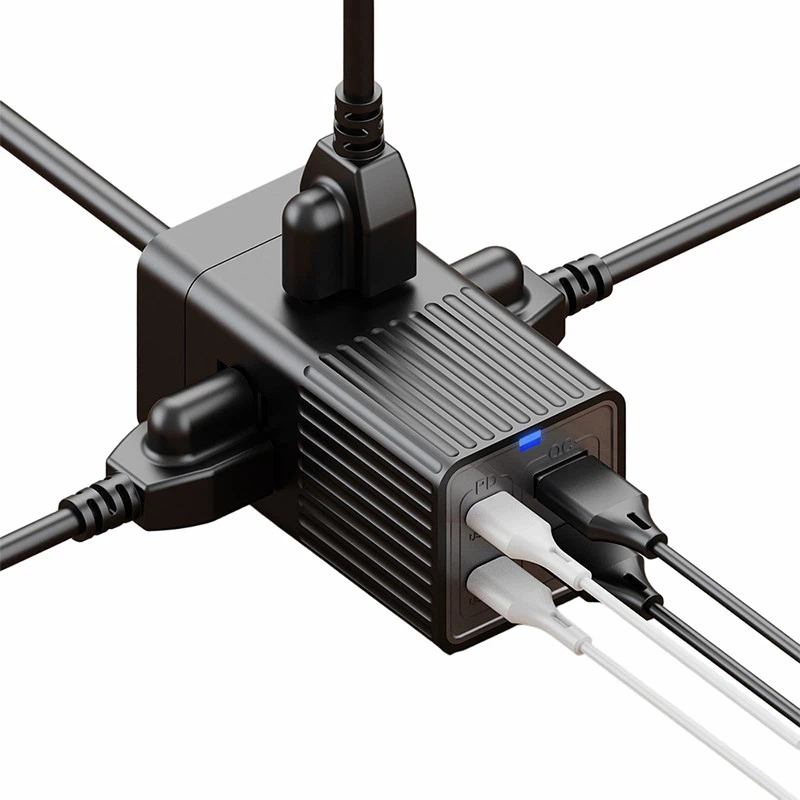
LED indicators on power strips serve as essential communication tools, offering users valuable insights into the device's status and functionality. As a supplier of Gan power strips, I've witnessed firsthand how these indicators enhance user experience and safety. In this blog post, we'll delve into what the LED indicators on Gan power strips show and why they matter.

Understanding Gan Technology
Before we explore the LED indicators, it's crucial to understand what makes Gan power strips special. Gallium Nitride (Gan) is a semiconductor material that offers significant advantages over traditional silicon-based components. Gan power strips are known for their high efficiency, compact size, and ability to handle high power loads. These features make them ideal for a variety of applications, from home use to professional settings.
Common LED Indicators and Their Meanings
Power On/Off Indicator
The most basic LED indicator on a Gan power strip is the power on/off indicator. This light typically glows steadily when the power strip is connected to a power source and turned on. A solid light indicates that the power strip is ready to supply electricity to connected devices. Conversely, when the power strip is turned off or not receiving power, the indicator will be off. This simple yet crucial indicator helps users quickly determine if the power strip is operational.
Overload Protection Indicator
Gan power strips are often equipped with overload protection to safeguard connected devices from damage caused by excessive current. The overload protection indicator plays a vital role in this safety feature. If the total power consumption of the devices connected to the power strip exceeds its rated capacity, the overload protection kicks in, and the indicator will light up, usually flashing or turning red. This alerts the user to unplug some devices to prevent overheating and potential fire hazards.
Surge Protection Indicator
Surges in electrical voltage can damage sensitive electronic devices. Gan power strips with surge protection feature an indicator that shows the status of this safeguard. A green light usually indicates that the surge protection is functioning correctly. If the surge protection has been compromised due to a large voltage spike, the indicator may turn red or go out, signaling that the power strip may no longer provide adequate protection against surges.
USB Port Activity Indicator
Many Gan power strips come with USB ports for charging mobile devices. The USB port activity indicator shows when a device is being charged through the USB ports. A blinking or steady light near the USB ports indicates that power is flowing to the connected device. This feature is useful for users to confirm that their devices are indeed charging.
The Importance of LED Indicators
The LED indicators on Gan power strips offer several benefits. Firstly, they enhance safety by providing real-time information about the power strip's status. Users can quickly identify potential issues such as overloads or compromised surge protection and take appropriate action. Secondly, these indicators improve user convenience. For example, the USB port activity indicator allows users to easily check if their devices are charging without having to look at the device itself.
Different Models of Gan Power Strips and Their Indicators
As a supplier, we offer a range of Gan power strips to meet different needs. Let's take a look at some of our popular models and how their LED indicators differ.
GaN Power Strip For Office Use
Designed for office environments, this power strip has a comprehensive set of LED indicators. In addition to the standard power on/off, overload, and surge protection indicators, it may also have indicators for individual outlets. This allows office workers to quickly identify which outlets are in use and which are available.
GaN Power Strip with USB Ports
This model focuses on providing convenient charging options. The LED indicators for the USB ports are prominently displayed, making it easy for users to see if their phones, tablets, or other USB-powered devices are charging. The power on/off and overload protection indicators are also clearly visible for overall power management.
GaN Power Strip with USB-C
With the increasing popularity of USB-C devices, this power strip is equipped with USB-C ports for fast charging. The LED indicators for the USB-C ports show the charging status, including whether the device is charging at high speed. The other standard indicators, such as power on/off and surge protection, are also present to ensure safe and reliable operation.
How to Interpret the Indicators Correctly
To make the most of the LED indicators on Gan power strips, users need to understand how to interpret them correctly. Refer to the user manual that comes with the power strip for detailed information about the meaning of each indicator. If an indicator shows an abnormal status, such as a red light or a blinking pattern that you're not familiar with, it's important to take appropriate action. For example, if the overload protection indicator lights up, unplug some devices to reduce the power load.
Maintaining the LED Indicators
The LED indicators on Gan power strips are designed to be durable, but proper maintenance can ensure their long - term functionality. Keep the power strip clean and free from dust and debris, as these can affect the visibility of the indicators. Avoid exposing the power strip to extreme temperatures or moisture, as this can damage the LED components.
Conclusion
The LED indicators on Gan power strips are more than just lights; they are essential features that enhance safety, convenience, and user experience. As a supplier, we are committed to providing high - quality Gan power strips with clear and reliable LED indicators. Whether you're using a power strip in your home, office, or other settings, understanding these indicators will help you make the most of your power strip and protect your valuable electronic devices.
If you're interested in purchasing our Gan power strips or have any questions about their LED indicators, we encourage you to contact us for a procurement discussion. We look forward to working with you to meet your power management needs.
References
- Gan Technology: A Primer on Gallium Nitride in Power Electronics. [Publisher Name], [Publication Date]
- Safety Standards for Power Strips and Their Indicator Systems. [Standards Organization], [Release Date]


